Choose the original image
Import a supported photo locally. The tool does not need to upload it to create the edited copy.
Metadata privacy
MaskBeforeShare decodes the selected image in your browser and exports a newly rendered PNG. The new file contains fresh image pixels rather than the original EXIF metadata block.
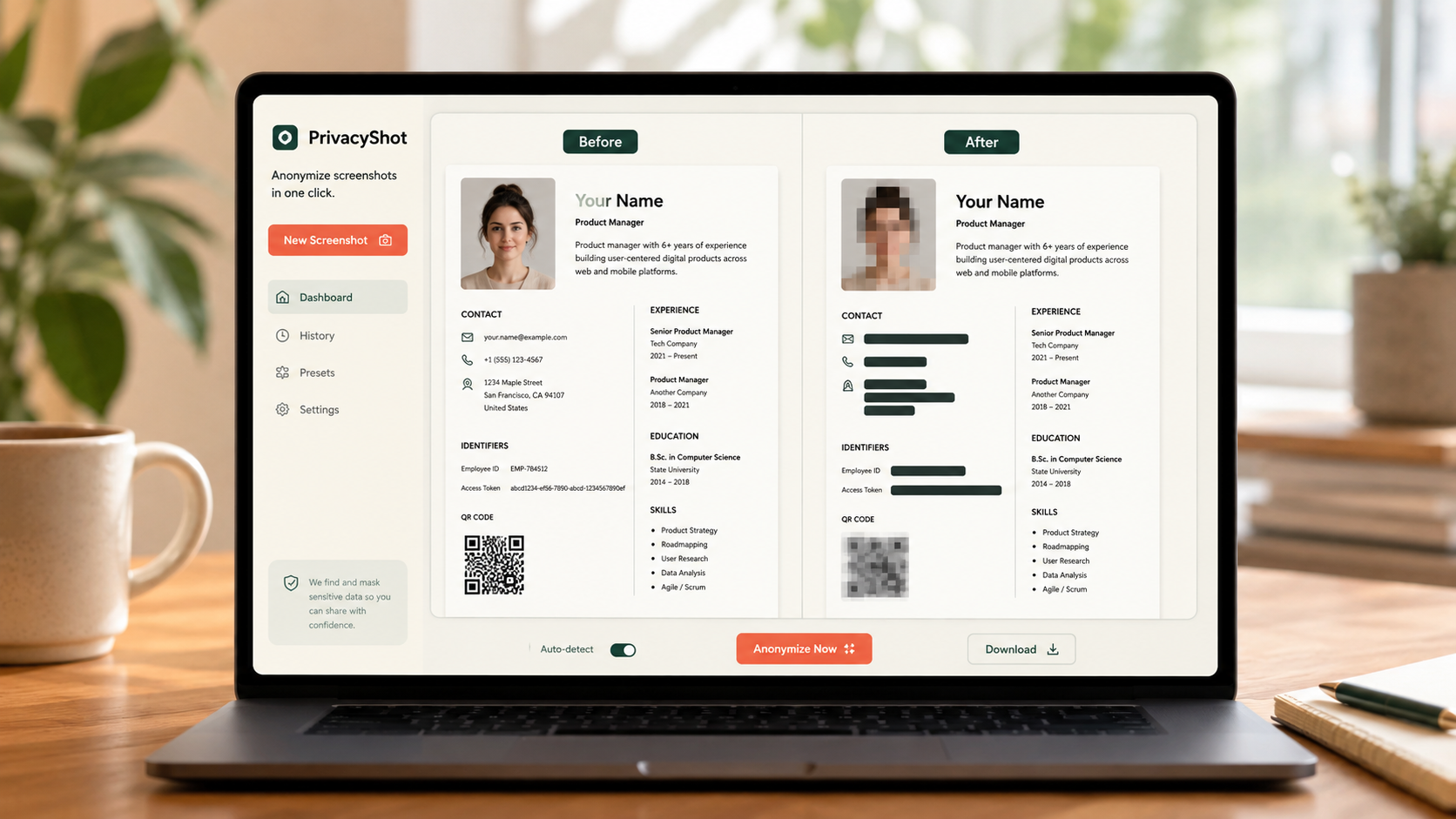
The image is processed in your browser. Review every mask, export fresh pixels, and share the cleaned copy instead of the original.
Import a supported photo locally. The tool does not need to upload it to create the edited copy.
Metadata removal does not hide faces, addresses, badges or screens. Mask those details in the image itself.
Download the newly rendered file and share that copy instead of the camera original.
Before sharing
A clean metadata block cannot protect information that remains readable in the pixels. Treat both layers separately.
The exported PNG is newly rendered from browser canvas pixels and does not preserve the original file EXIF metadata block.
It removes original embedded metadata from the exported copy, but visible landmarks, addresses and screens may still reveal location.
No. The original stays unchanged on your device. MaskBeforeShare creates a separate PNG export.
Related privacy tasks