Paste or import
Open the complete screenshot rather than cropping too early, so surrounding leaks remain visible.
Screenshot redaction
Cover messages, names, email addresses, account details and identifiers before a screenshot leaves your device. Use blackout for information that must not be recoverable by sight.
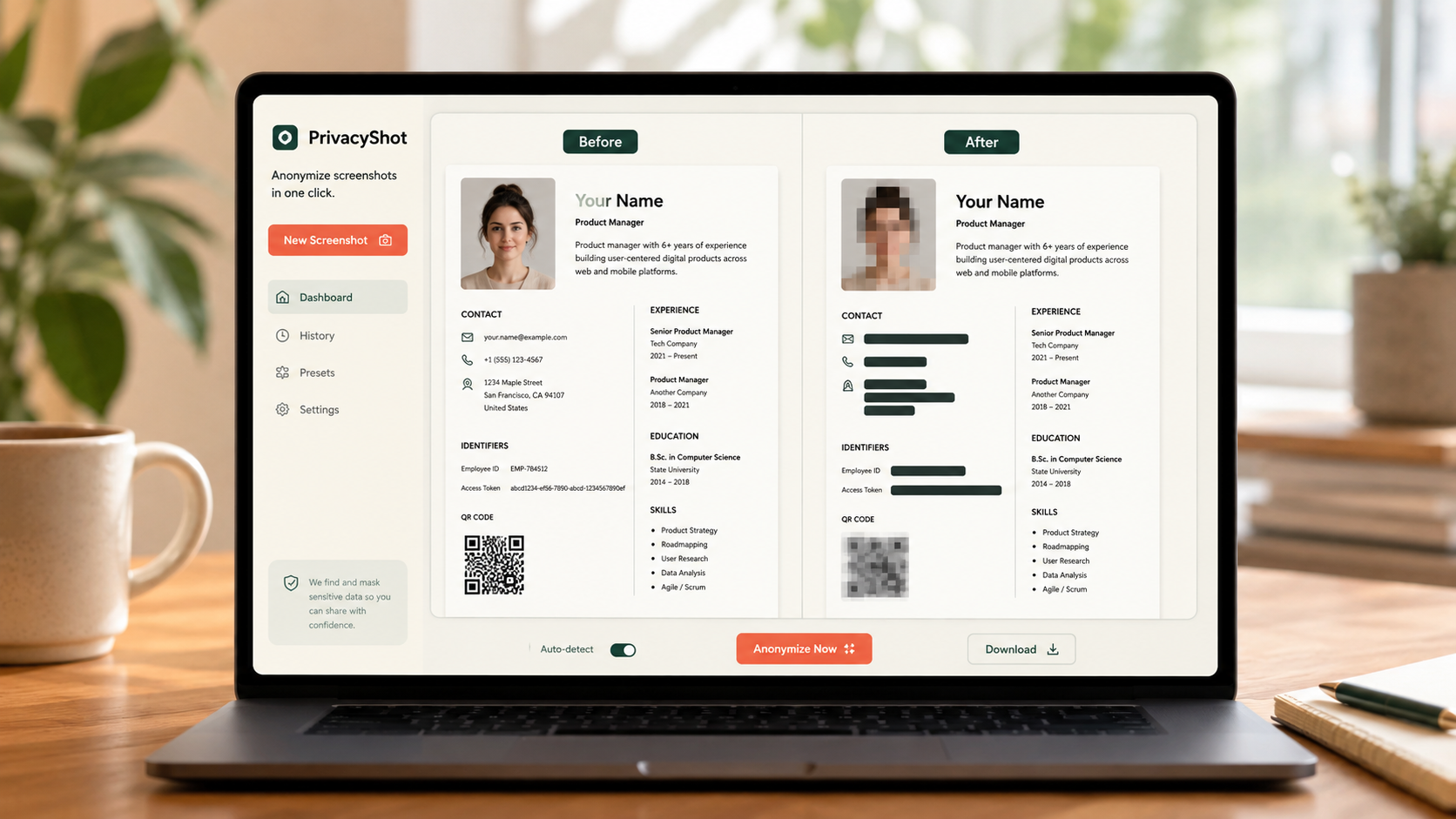
The image is processed in your browser. Review every mask, export fresh pixels, and share the cleaned copy instead of the original.
Open the complete screenshot rather than cropping too early, so surrounding leaks remain visible.
Draw beyond every line and include labels that could reveal the hidden value by context.
Zoom in and check notifications, tabs, filenames, timestamps, QR codes and side panels.
Before sharing
A covered number can still be identifiable from a visible name, balance, conversation or browser tab.
Blurred or pixelated text may remain readable or inferable. Use opaque blackout over the complete region for highly sensitive text, then inspect the exported PNG.
No. The normal image workflow runs locally in your browser.
Names, messages, emails, phone numbers, addresses, IDs, account details, filenames, tabs and notifications may all be sensitive.
Related privacy tasks